Openclaw本地部署教程
2026-08-03 13:38:00阅读 2169
该教程包含Window、mac和linux等,Openclaw是一个可以本地部署的AI开源工具,你通过远程手机端就能操控它帮助你做事,操作你的电脑,或者在云端服务器上辅助完成各种任务。
风险提示:Moltbot 将拥有浏览您电脑所有文件的权限,请谨慎操作。
系统要求:Node.js >=22,建议安装 Python。
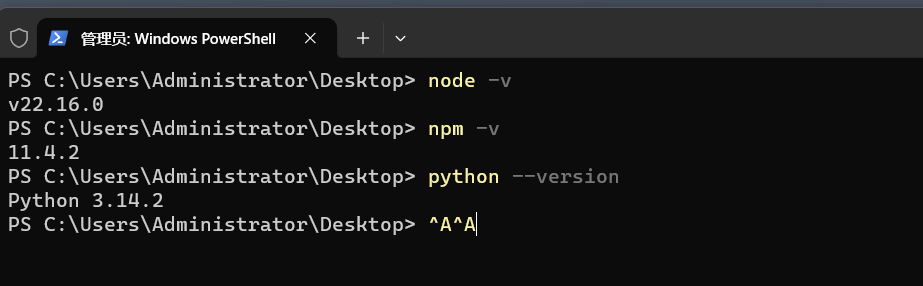
安装命令(Windows PowerShell 管理员模式):iwr -useb https://molt.bot/install.ps1| iex

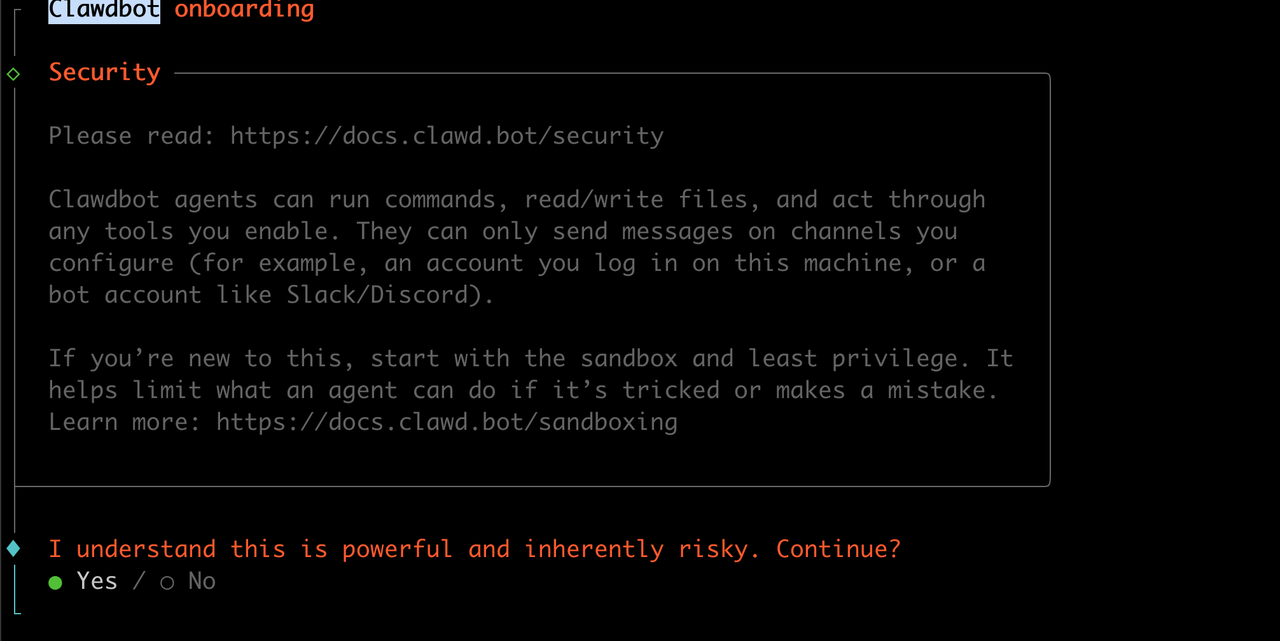
注:遇到风险提示按空格键选择 Yes,
国外软件配置可选择 No/Skip。
安装命令(Mac/Linux):
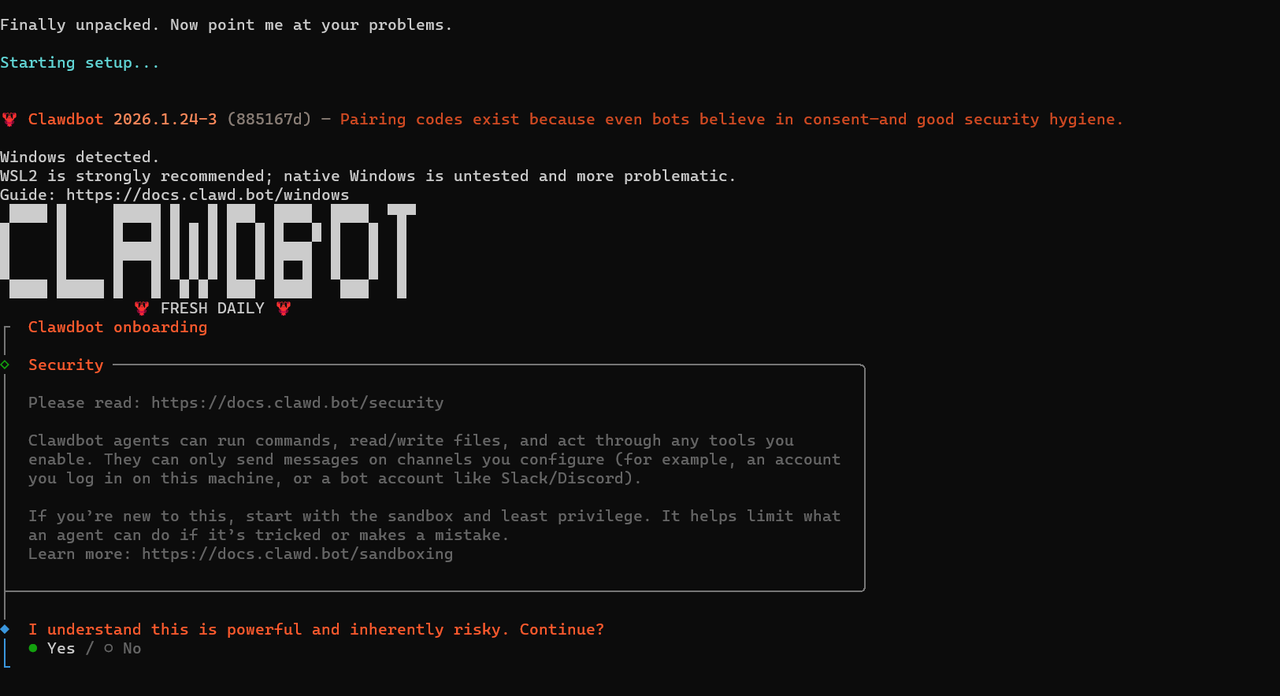
空格键选择yes, 意思是告诉明白有风险, enter键下一项
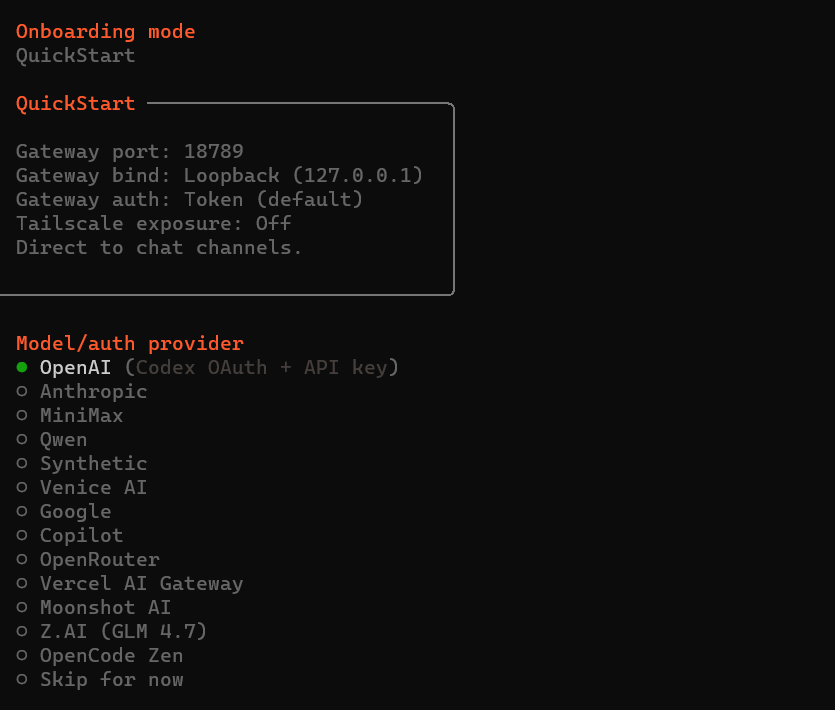
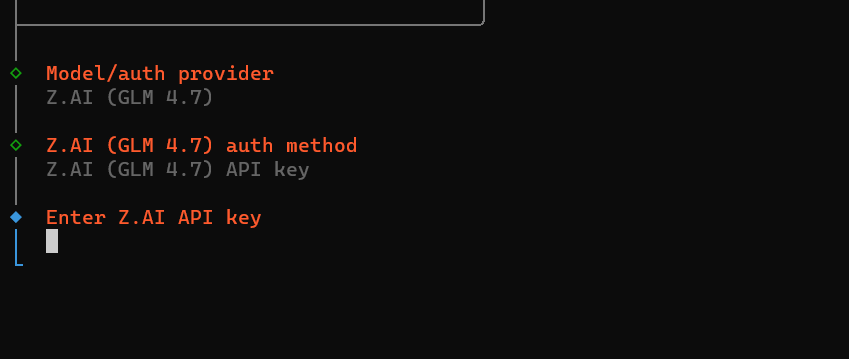
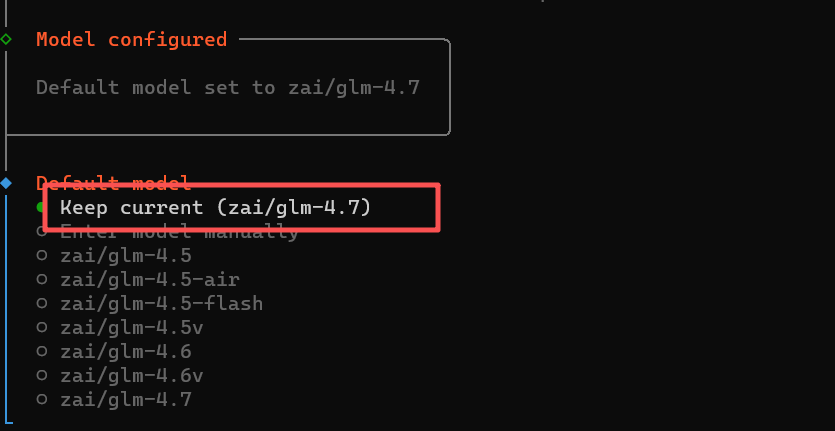
输入模型的APIKey也可以不输,等会有界面的时候在输入
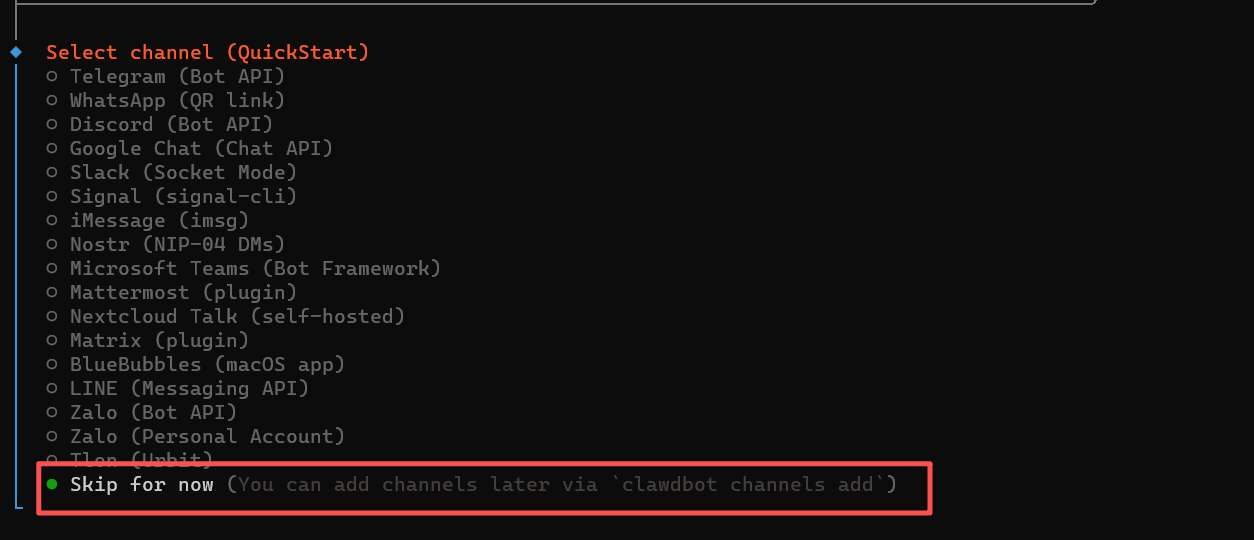
里面的都是国外的通信软件,咱们用不到,选择过滤
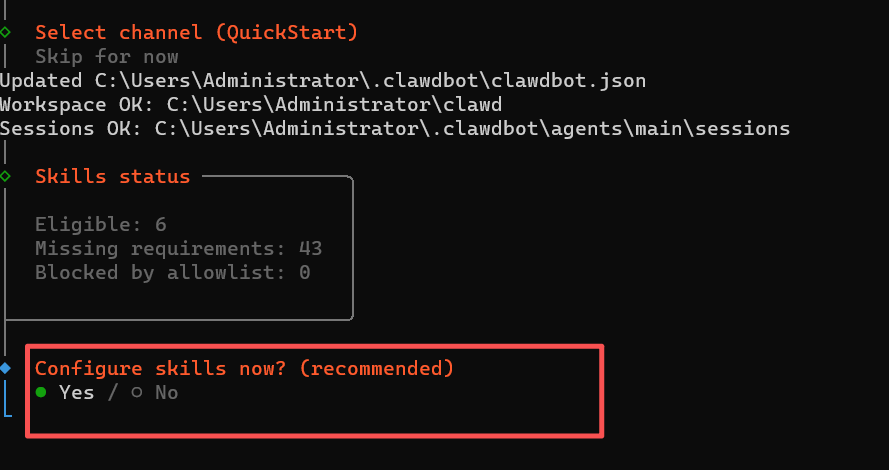
选择配置技能
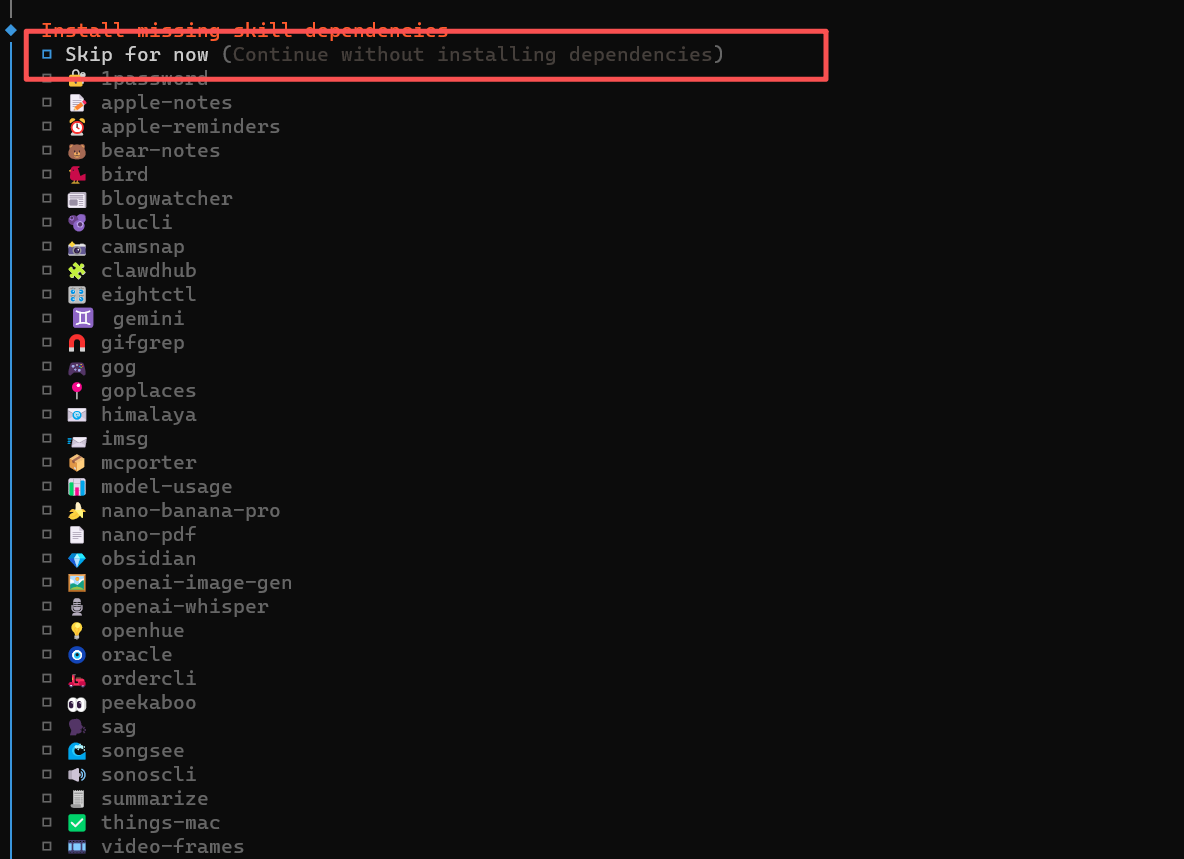
可以选择过滤,或者有你想装的选中也行
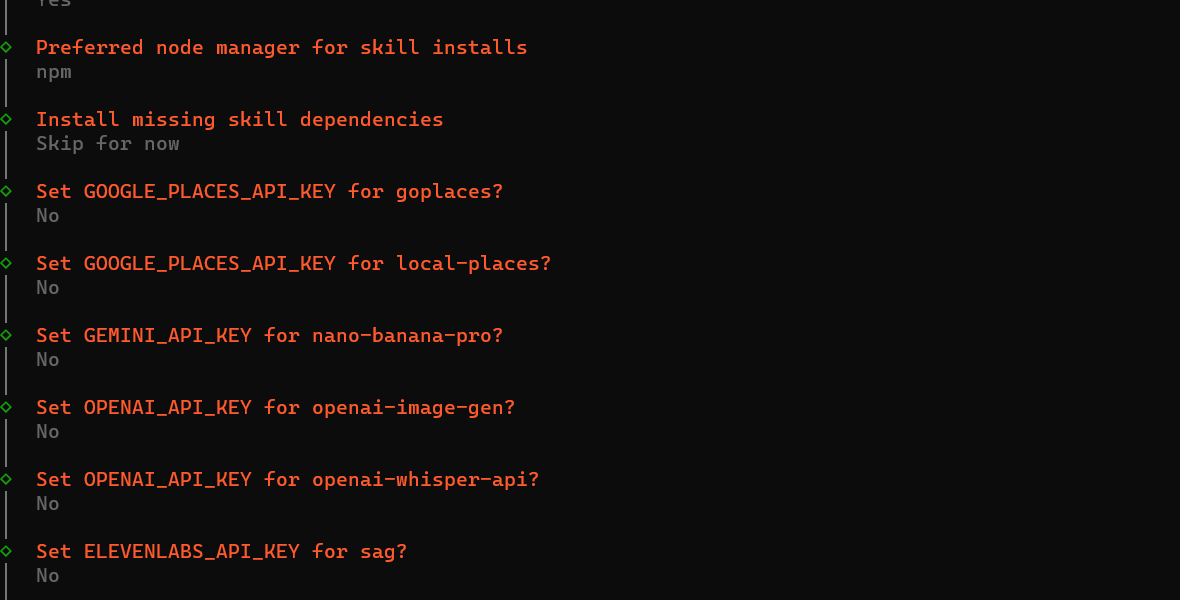
没有这些Key的话,全部选择NO

这三个钩子最好都选中,用于记录日志记忆等

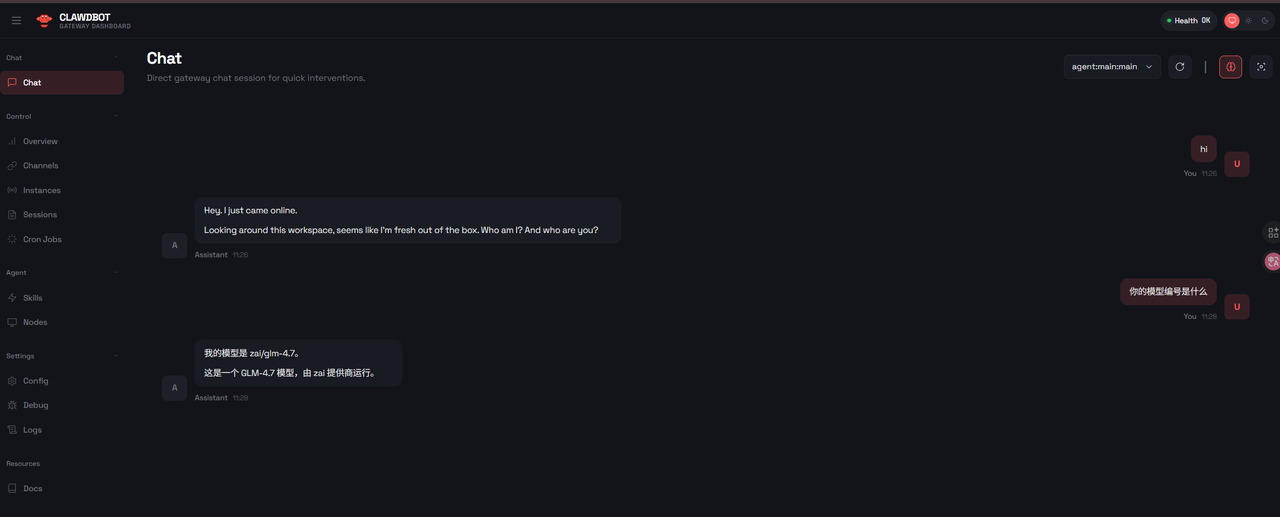
本地电脑选择带界面的控制平台
选择之后你就可以看到界面的clawdbot管理后台了
如果上面的配置有问题,你可以输入下面的命令重新进入配置
clawdbot config
【飞书对接】
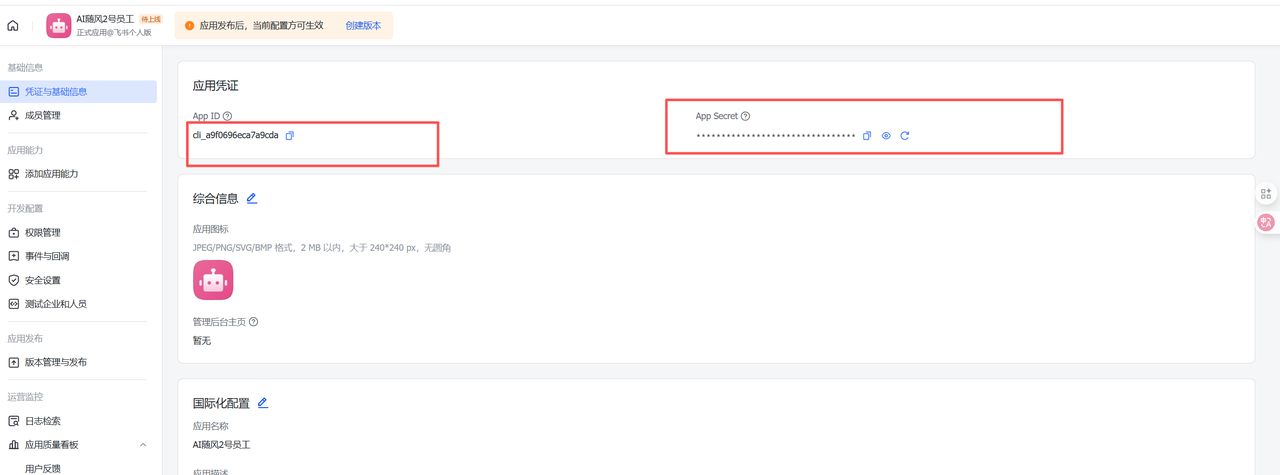
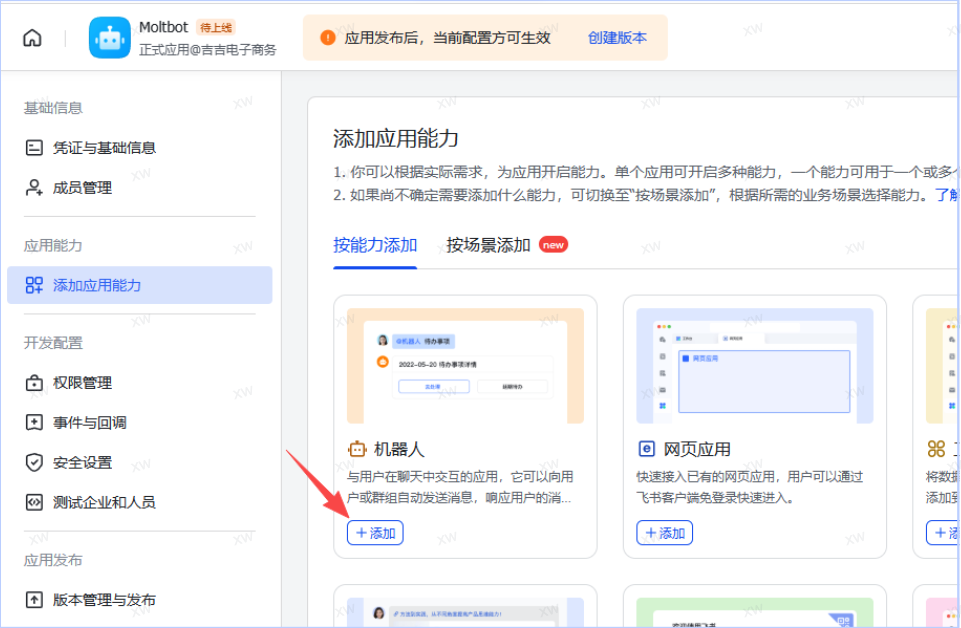
1.打开飞书开放平台(https://open.feishu.cn/app?lang=zh-CN)创建飞书应用;
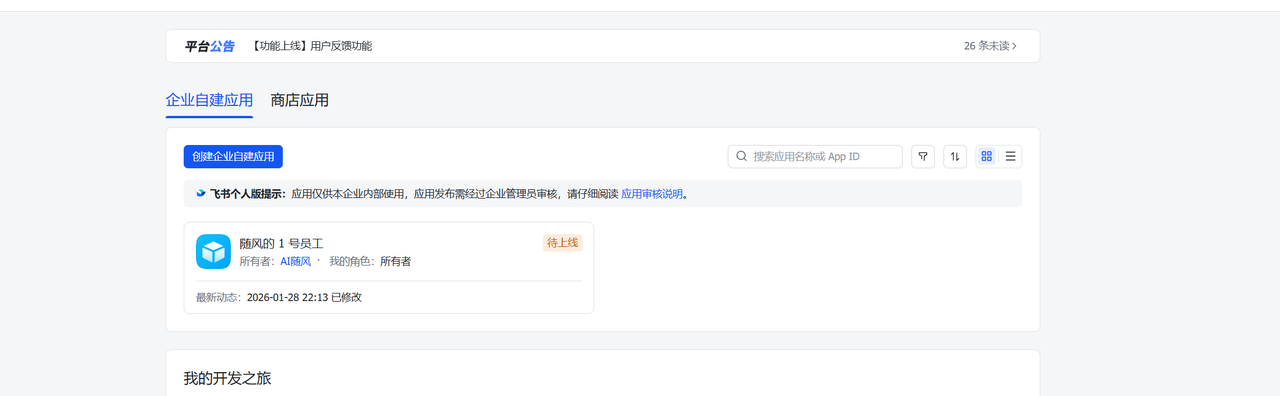
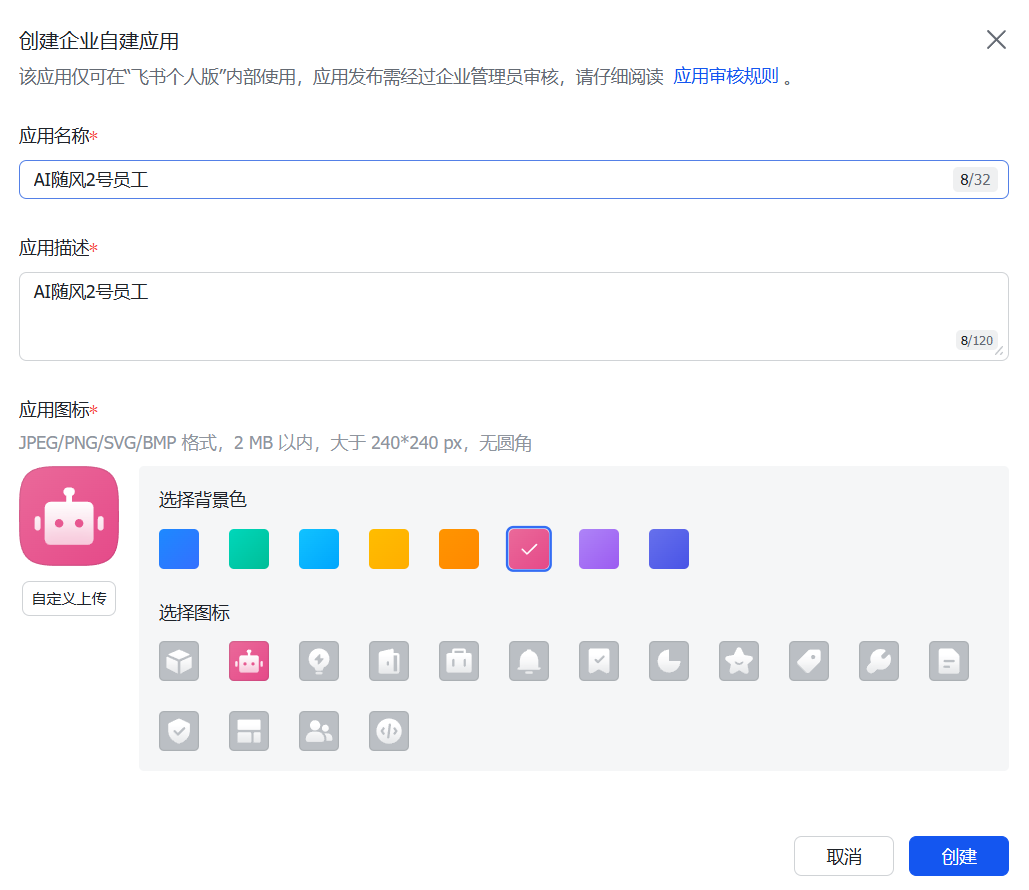
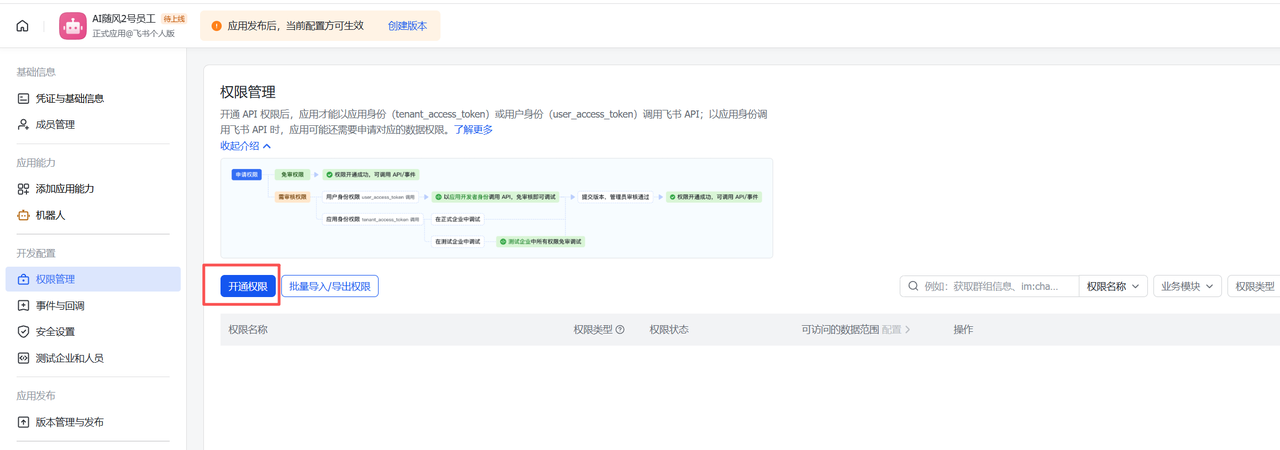
可以根据自己情况,开通对应的权限,可以选择导入的方式
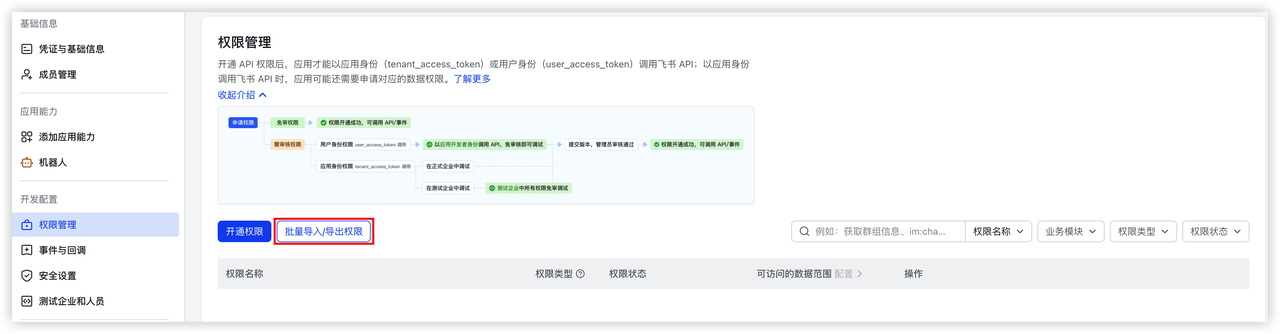
{ "scopes": { "tenant": [ "im:chat:read", "im:chat:update", "im:message.group_at_msg:readonly", "im:message.p2p_msg:readonly", "im:message.pins:read", "im:message.pins:write_only", "im:message.reactions:read", "im:message.reactions:write_only", "im:message:readonly", "im:message:recall", "im:message:send_as_bot", "im:message:send_multi_users", "im:message:send_sys_msg", "im:message:update", "im:resource" ], "user": [ "contact:user.employee_id:readonly" ] } }
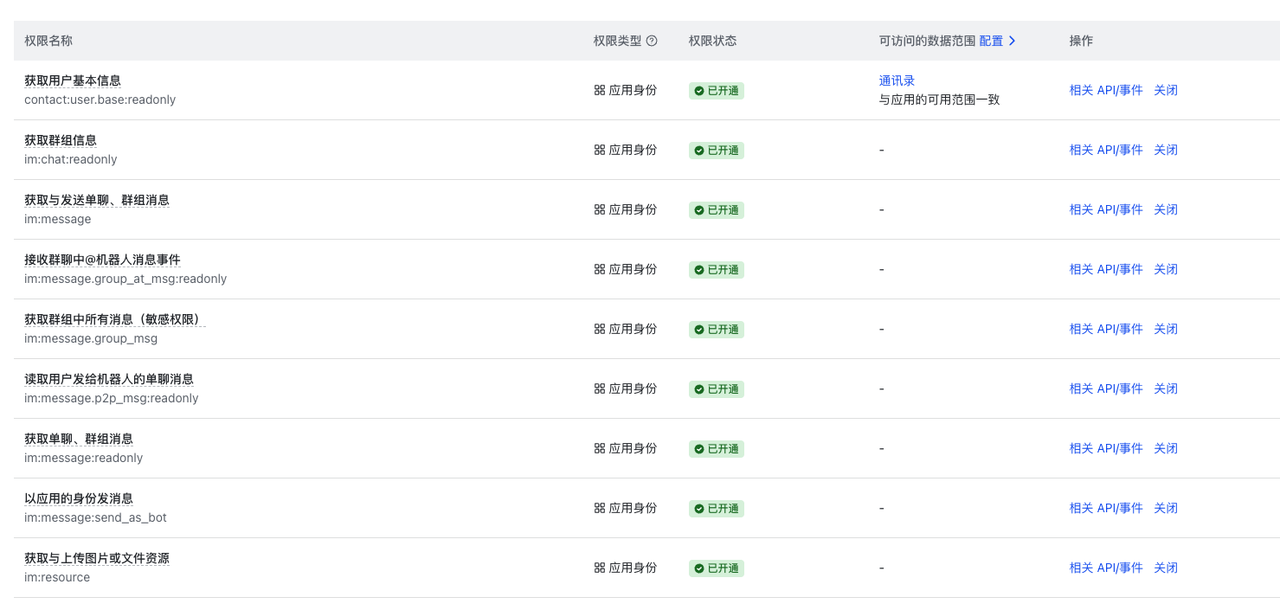
Required Permissions 所需权限
| Permission 许可 | Scope 范围 | Description 描述 |
| contact:user.base:readonly | User info 用户信息 | Get basic user information 获取基本用户信息 |
| im:message | Messaging 信息传递 | Send and receive messages 发送和接收消息 |
| im:message.p2p_msg:readonly | DM | Read direct messages to bot 向机器人阅读私信 |
| im:message.group_at_msg:readonly | Group 集团 | Receive @mention messages in groups 分组接收@mention 消息 |
| im:message:send_as_bot | Send 发送 | Send messages as the bot 以机器人身份发送消息 |
| im:resource | Media 媒体 | Upload and download images/files 上传和下载图片/文件 |
Optional Permissions 可选权限
| Permission 许可 | Scope 范围 | Description 描述 |
| im:message.group_msg | Group 集团 | Read all group messages (sensitive) 阅读所有群组消息(敏感) |
| im:message:readonly | Read 阅读 | Get message history 获取消息记录 |
| im:message:update | Edit 编辑 | Update/edit sent messages 更新/编辑已发送的消息 |
| im:message:recall | Recall 召回 | Recall sent messages 召回已发送消息 |
| im:message.reactions:read | Reactions 反响 | View message reactions 查看消息反应 |
安装飞书插件
让 AI 帮你 安装,打开http://127.0.0.1:18789/chat
输入下面的提示词
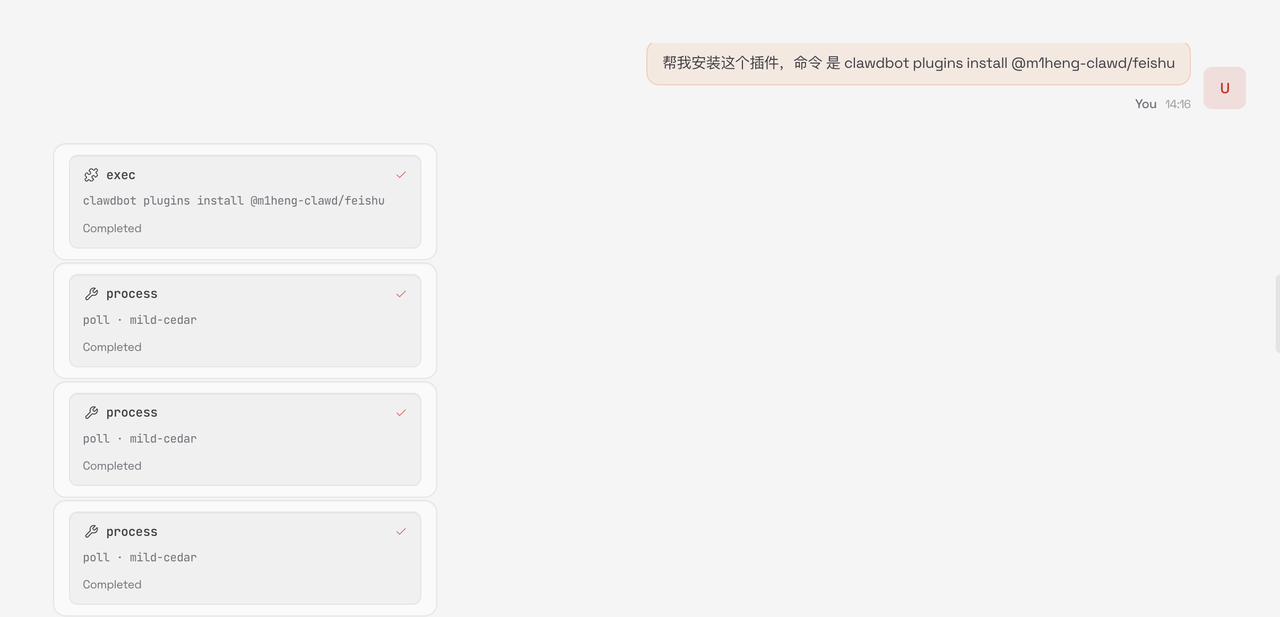
使用代码的方式安装
clawdbot plugins install @m1heng-clawd/feishu
配置飞书应用
clawdbot config set channels.feishu.appId "cli_xxxxx" clawdbot config set channels.feishu.appSecret "your_app_secret" clawdbot config set channels.feishu.enabled true
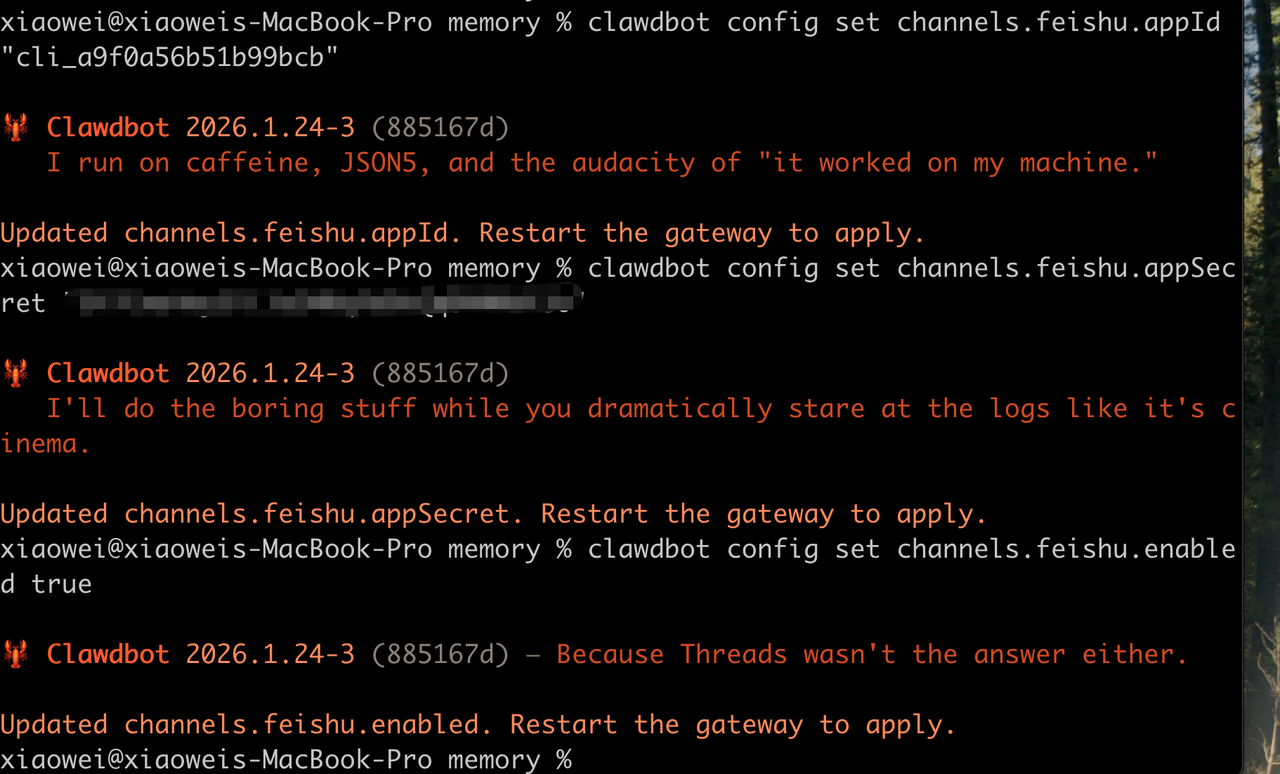
配置飞书应用
配置事件
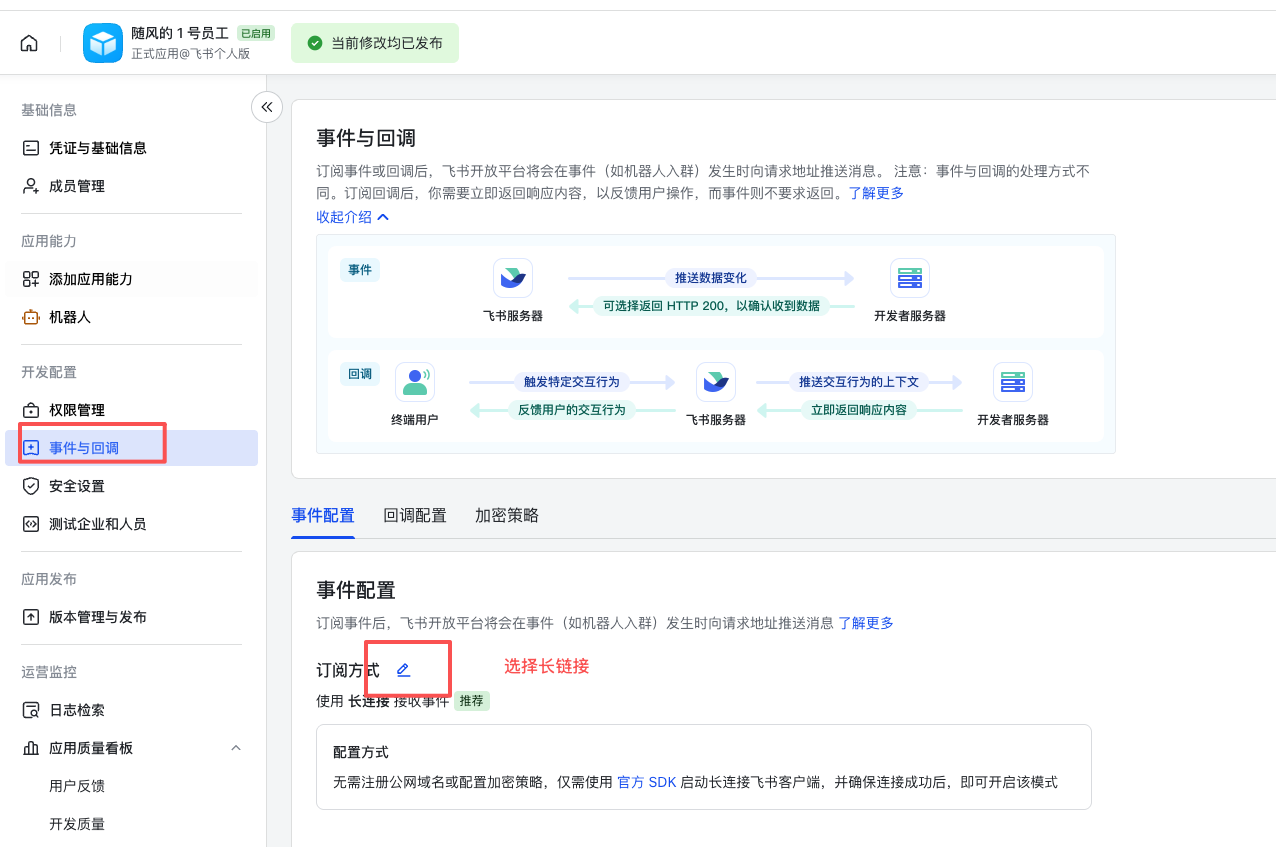

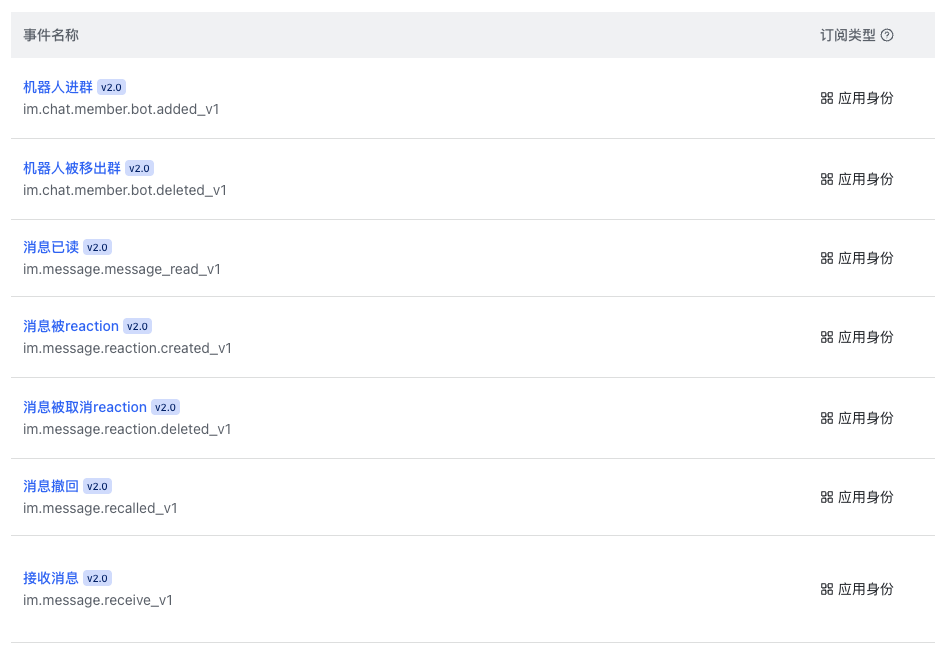
配置回调
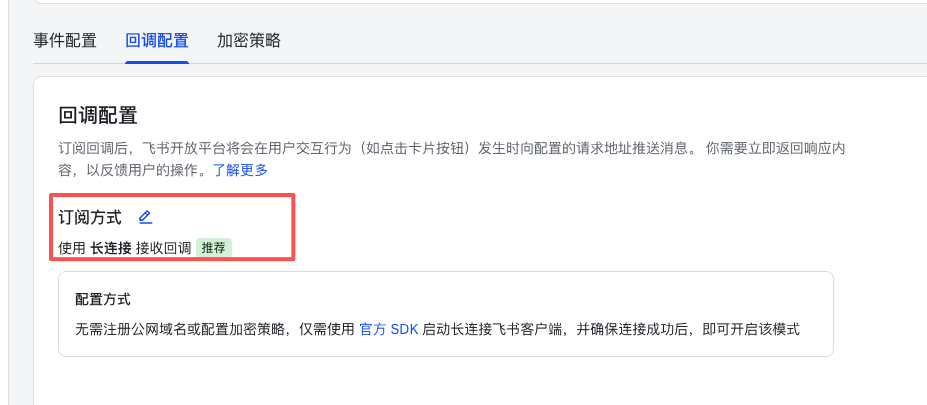
选择长链接,点击保存
创建版本
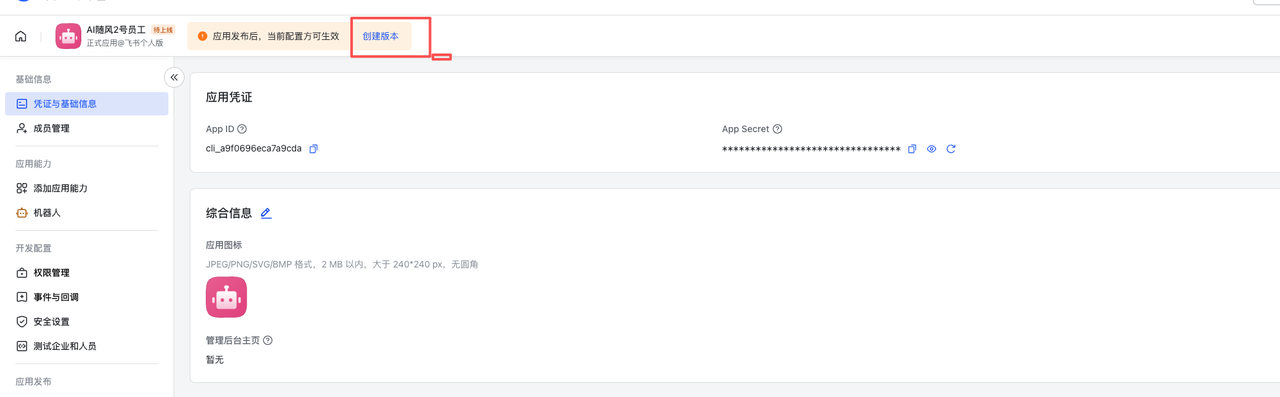
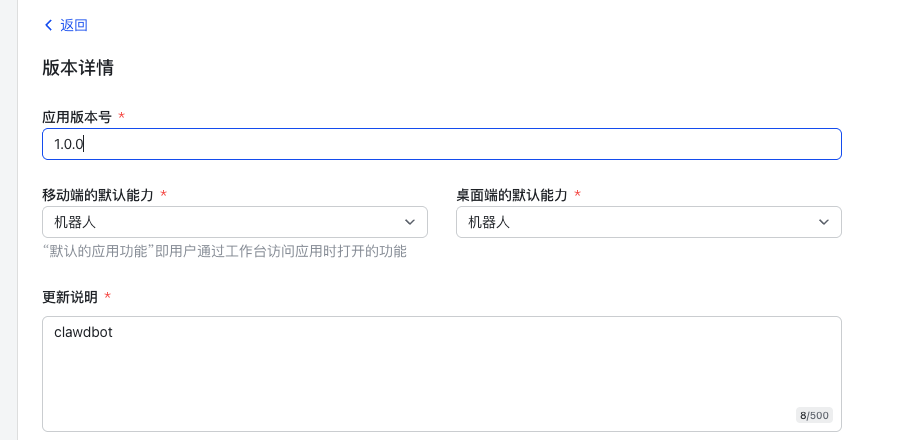
点击发布就可以了
飞书聊天测试
打开飞书,搜索机器人名